When something breaks in TTK Testing, when a patch note raises a question, or when you simply want to follow the next V0.x build as it ships, knowing where to go saves hours of dead-end searching. This guide maps every TTK Testing support channel the studio actually maintains, from the verified Sable Digital Roblox group to PoptartNoahh's developer YouTube, the official DevForum thread, the lead developers' personal X accounts, and the in-game feedback loops that move fastest.
The support stack is small but tight, which is exactly why it works. Two creators (PoptartNoahh and CanyonJack), one Roblox group, one long-form dev log, and one short-form social channel carry the entire TTK Testing official communication load. Once you know which channel answers which question, your bug report, your suggestion, and your patch verification each take the shortest path to the team.
The Sable Digital Group as Your Support Front Door
The Sable Digital Roblox group is the single most important TTK Testing support channel for any player on the platform. The group holds the verified badge, sits at over 90,000 members, and acts as the studio's primary announcement surface. Every patch that ships in the V0.x testing phase shows up here first as a pinned forum post, often before the YouTube showcase goes live.
Membership is free and the join flow takes about a minute. Once inside, the Announcements wall is where you want to spend most of your time during patch days. The studio also uses group forum posts for mid-cycle notes, retunes, and known-issue lists, which means a question like "is the FFA spawn rotation still bugged on Bazaar?" is usually already answered in a thread from the past 48 hours. A quick search before filing a duplicate report will save you a round trip.
The group wall is not the right place to file a refund request or argue moderation, but it is the right place to confirm whether an issue is on the studio radar. Because Sable Digital previously operated as NC Software and has shipped titles like ARES VR, the Hellreaver series, and the RooM Engine, the same announcement muscle carries across all of those projects, and the Sable Digital project history on the DevForum thread ties them together.
What the Group Is Best For
| Use Case | Where to Post | Expected Response Time |
|---|---|---|
| Confirm a patch is live | Pinned Announcement | Within minutes of deploy |
| Verify a known bug | Forum posts search | Often same-day |
| Get matched to a creator | Group shout, comment on announcement | Hours, not days |
| Submit a feature idea | Group wall comment, then escalate to DevForum | Days to weeks |
| Get an account issue resolved | Roblox support, not the group | 1-3 business days |
What the Group Is Not
The group is not a private help desk. The studio is a two-person operation plus community contributors, and the wall is a broadcast channel with light moderation. Long technical threads tend to die after a few replies. If your question needs a sustained back-and-forth, move it to the DevForum thread where the developers can quote your repro steps inline.
PoptartNoahh YouTube: The Video Dev Log
PoptartNoahh's YouTube channel is the most visual piece of the TTK Testing official support stack. Each V0.x build gets a dedicated showcase that walks through every weapon, attachment slot, and mode change with timestamped chapters. The V0.01 Helmet Cam debut, the V0.02 shotgun and map drop, the V0.03 pistol and flash grenade, the V0.04 Gunsmith Showcase, and every weapons pool expansion since all live on this channel as the canonical record.
The channel matters for support because patch notes can be ambiguous, and a 12-minute video closes that ambiguity immediately. When a community thread says the suppressor is "quieter but slower," a 30-second clip from the V0.04 showcase proves it. When someone claims a new muzzle brake "kills vertical climb," the recoil demo at 4:13 shows the actual pattern. If you are trying to verify whether a behavior is intended, the PoptartNoahh developer channel is your fastest reference.
YouTube also doubles as a community signal channel. Comment sections under showcase videos surface real player questions, and the developer regularly pins answers that turn into soft errata for the next patch. The pattern is consistent: video drops, comments collect edge cases, the next dev log on the DevForum references the video, and the cycle restarts.
How to Use the Channel Efficiently
-
Watch the most recent showcase first, even if you think you are caught up. Patch tuning since your last video is the most common source of "did this change?" confusion.
-
Skim the description for timestamps to the specific weapon or mode you care about. Most showcases link directly to the V0.x dev log thread.
-
Check pinned comments for errata that did not make it into the patch notes, especially around attachment stacking rules.
-
Subscribe with notifications on if you play during the V0.x testing phase. Showcase videos typically drop within 24 hours of a major patch.
-
Cross-reference the DevForum thread for any tuning that the video skipped, because the channel is for visual proof, while the thread is for numerical proof.
The DevForum Thread: The Long-Form Dev Log
The TTK official dev log on DevForum is the deepest piece of the support stack. It functions as the V0.x roadmap, the changelog, and the developer Q&A rolled into one thread. Co-op PVE Survival waves, linear story Missions with doorkicker mechanics, standard PVP Quick Play, large-scale objective Ground War, teams, spectating, launchers, and gunplay improvements are all mapped here with linked posts and replies from the developers themselves.
The DevForum thread is the right place when your question is "why was this designed this way" rather than "is this broken." Bug reports still belong on the Roblox group or in-game, but design intent, roadmap timing, and tuning rationale almost always get a developer reply in the DevForum. Because the thread is indexed by Google, you can search specific phrases like "M4 recoil" or "Hardpoint rotation" and usually land on a direct reply from PoptartNoahh or CanyonJack.
DevForum Post Categories at a Glance
| Post Type | Purpose | Best for Asking |
|---|---|---|
| Roadmap Updates | V0.x feature plan | "When does X ship?" |
| Tuning Notes | Stat changes per patch | "Did Y change in V0.05?" |
| Showcase Links | YouTube embeds | "Is there video proof of Z?" |
| Developer Q&A | Direct replies | "Why was W designed this way?" |
| Known Issues | Studio-confirmed bugs | "Is this on the radar?" |
PoptartNoahh on X: The Short-Form Signal
PoptartNoahh's X account is the fastest pulse in the support stack, because the format rewards short updates that would feel out of place on a DevForum post or a 12-minute YouTube video. Live server test windows, hotfix notes, deploy timing, and community callouts all show up here first. During a heavy patch week, the PoptartNoahh X account is essentially a real-time ticker for the testing phase.
X is the right place to follow when you only have 30 seconds a day to stay current. If the channel is silent for a week, it usually means the studio is heads-down on the next build rather than ignoring the community. The cadence is irregular by design, because the lead developers ship when the build is ready, not on a marketing schedule.
CanyonJack also maintains a presence on Roblox as a co-creator, and the studio's verified badge and creator profile confirm both developers as the authoritative voices on the project. Treat any account that is not linked from the Sable Digital group or the DevForum thread as unofficial, even if it uses similar handles.
X vs. YouTube vs. DevForum
| Channel | Update Speed | Update Depth | Best For |
|---|---|---|---|
| X (PoptartNoahh) | Minutes | One line | Live deploy alerts |
| YouTube (PoptartNoahh) | Hours to days | 8-16 minutes | Visual proof of tuning |
| DevForum Thread | Days to weeks | Full paragraphs | Design intent and roadmap |
| Roblox Group | Hours | Short posts | Broadcast announcements |
The In-Game Feedback Loops
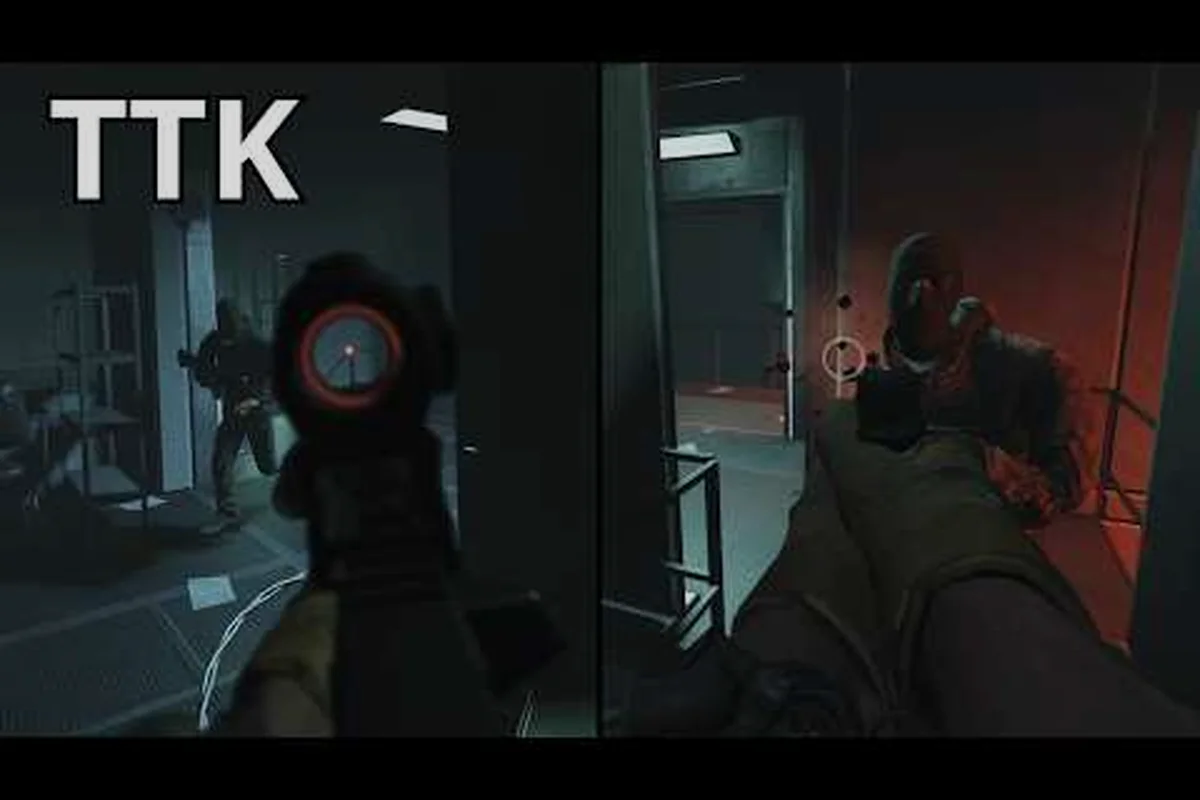
Beyond the public channels, TTK Testing has two in-game paths for getting a response without leaving the match. The first is the Helmet Cam toggle (bound to the P key by default), which records your last 30 seconds of POV and lets you save a clip to share on the Roblox group or DevForum. When filing a repro for a movement bug, an audio glitch, or an animation hitch, attaching a Helmet Cam clip is the difference between a developer trying to imagine your bug and a developer seeing it.
The second path is the Settings menu, where the official description explicitly recommends Transparent Optics to simulate both eyes open for better visibility through scopes. This is not just a gameplay tip, it is also a way to reduce the most common category of "I got killed through my scope" reports. Setting Transparent Optics before you file a bug eliminates a class of false positives that clog the support channels.
The official game page on Roblox also pins the cross-platform target: PC, mobile, Xbox, and PS5 with maximum compatibility. If you are reporting a platform-specific issue (for example, a stutter on PS5 or a sensitivity bug on mobile), call out your input method and platform in the report, because tuning is often platform-specific and the team triages based on that flag.
Reaching the Developer Team Directly
For most players, the public channels are enough. But there are cases where a direct line helps: partnership inquiries, media requests, creator collaboration, or a serious account issue. The studio does not publish a public email, so the practical path runs through the Roblox group wall and the DevForum thread, where a private message or a tagged reply is the established way to escalate.
When you do reach out directly, three practices speed up the response. First, attach a Helmet Cam clip or a screenshot, because the team can repro faster with visual context. Second, include your platform, input method, and current V0.x build, because the same bug on PC and PS5 can have different root causes. Third, search the DevForum thread first to confirm the issue is not already documented. The TTK Testing feedback and contact guide covers this in more detail if you need the full escalation playbook.
The community itself is a force multiplier. Players on the group wall routinely help each other repro bugs, test workarounds, and decode ambiguous patch notes, which means a question that gets no studio reply in 24 hours often gets a community workaround much sooner. If you have ever been stuck on a TTK Testing issue, chances are someone else on the wall already solved it.
Trust Signals: Spotting Official Channels
Because TTK Testing is in an early testing phase, impersonator accounts and fan-run groups are common. The verified badge on the Sable Digital group is the single most reliable trust signal. The PoptartNoahh YouTube channel and X account are linked from the group's about section, which is the second trust signal. The DevForum thread is hosted on Roblox's own developer portal under a PoptartNoahh author tag, which is the third.
If a channel claims to be official but is not linked from any of those three surfaces, treat it as community-run, even if the content is accurate. Fan-run channels can still be useful, but they cannot speak for the studio on roadmap timing, balance intent, or shipping plans. The TTK Testing community channels roundup lists every confirmed touchpoint in one place, including the Sable Digital group's relationship to past projects like ARES VR, the Hellreaver series, and the RooM Engine.
Frequently Asked Questions
Where do I report a bug in TTK Testing?
The fastest path is the Sable Digital Roblox group's forum wall with a Helmet Cam clip attached, because the studio triages from the pinned posts section. For complex repros, mirror the report on the DevForum thread where the developers can reply inline. Always include your platform, input method, and current V0.x build.
Is the PoptartNoahh YouTube channel the official TTK Testing dev log?
Yes. PoptartNoahh is one of the two lead developers of TTK Testing at Sable Digital, and the channel hosts the canonical showcase for every V0.x build. The V0.04 Gunsmith Showcase and the V0.01 through V0.05 patch recaps all live there as the primary video record.
How do I contact CanyonJack directly?
CanyonJack co-runs TTK Testing with PoptartNoahh and is reachable through the Sable Digital group, the DevForum thread, and Roblox creator messages. Avoid third-party handles that are not linked from those surfaces, because the studio has a small footprint and impersonator accounts are common during the testing phase.
What is the Sable Digital Roblox group used for?
The Sable Digital group is the verified broadcast hub for TTK Testing, hosting patch announcements, forum posts, and the soft errata that the YouTube channel and DevForum thread reference later. It is the right starting point for any TTK Testing support question because the studio cross-links all of its other channels from the group wall.
Can the community help with support questions?
Yes, and often faster than the developers can. The Sable Digital group's comment sections and the DevForum thread both host active player discussions where workarounds, tuning theories, and bug repros are shared daily. Pair that community knowledge with the official channels above and you cover roughly 90 percent of TTK Testing support cases without waiting for a developer reply.